Extend
Free
Version 2.0.0, June 2026
Languages : English, French
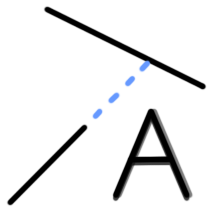
The Extend extension allows you to extend a line to its intersection with another line. The Extend extension also works with arcs.
The Extend tool can be found in the SketchUp Tools menu.
There are 3 ways to use the Extend tool:
If you click directly on a line, it will be extended on the side where you clicked until you reach the first object in line with the line.
You can also extend two specific lines until they intersect. To do this, press and hold the Shift key and click on the first line, then click on the second line (always on the side where the lines need to be extended).
Finally, if you selected multiple lines before using the Extend tool, you can press Enter to automatically extend all of them. Each line will be automatically extended to the nearest object if the space between the line's endpoint and that object is very small. This automation also removes very short lines that extend beyond an intersection. This feature is very useful when importing a vector plane where the lines are not perfectly contiguous.
For the Extend tool to work, the different objects must be on the same plane.